Arduino VENTUNO Q First Setup: Ubuntu Update and 2.5 GbE Test
VENTUNO Q Engineering Journal — Part 01 | 27 November 2026
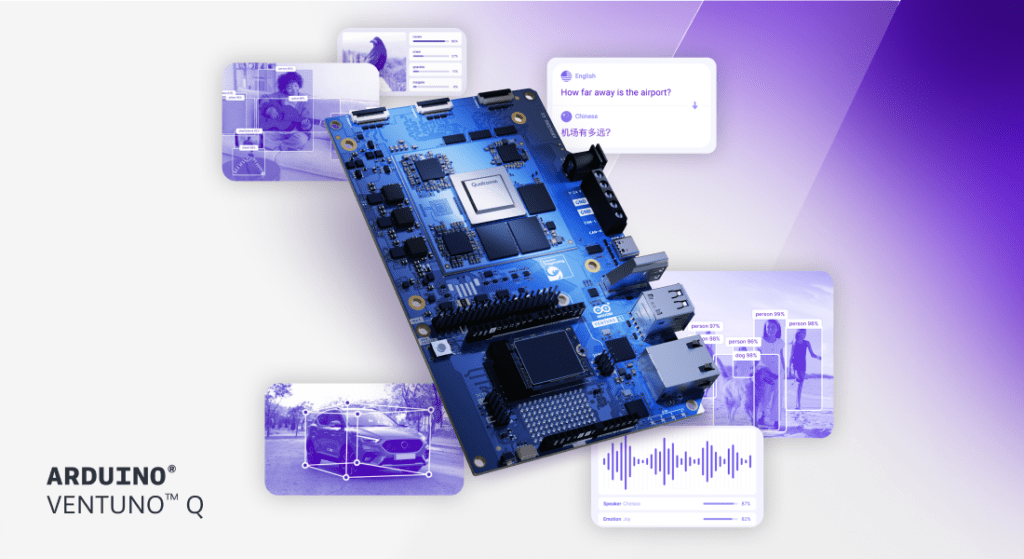
It’s here! MyArduinoVENTUNO Q first setup is complete, and I am already impressed. App Lab made getting started remarkably easy, the first Ubuntu update went through successfully, and the board is almost inaudible in my lab. But the biggest surprise was its built-in 2.5 Gigabit Ethernet: I can finally use my multi-gigabit fibre connection without an extra adapter. My first Internet speed test reached2,126.11 Mb/s on the VENTUNO Q versus 983.43 Mb/s on my Mac mini M4— 2.16 times the download throughput. Congratulations to the Arduino and Qualcomm teams! In this first hands-on article, I share the setup, update, measured network results and the baseline for future engineering benchmarks.
Arduino VENTUNO Q first setup: App Lab and Ubuntu
Getting started with Arduino VENTUNO Q was remarkably straightforward. Arduino App Lab handled its initial updates automatically, and I ran a first test application before moving on to the terminal. I’m developing from my Mac via SSH over wired Ethernet. The board features built-in 2.5 Gigabit Ethernet. Initially, I connected it to a 1 GbE switch port, where it negotiated 1,000 Mb/s full duplex with zero RX and TX errors in the post-reboot snapshot. I then swapped the network cables between my Mac mini M4 and VENTUNO Q so the Arduino could use the faster network port. My Mac has the standard built-in 1 GbE interface; to benefit from my multi-gigabit fibre on this particular Mac over Ethernet, I would need a separate multi-gigabit adapter. Apple also offered an optional 10 GbE configuration for the M4 model at purchase (Apple technical specifications). With VENTUNO Q, no extra adapter is required.
My initial SSH session confirmed Ubuntu 24.04.4 LTS (64-bit Arm) with the Qualcomm kernel 6.8.0-1078-qcom. Before updating system packages, I recorded a baseline of installed packages, kernel, loaded modules and storage, then simulated the upgrade. This is useful for reproducibility when porting applications and comparing performance.
VENTUNO Q Ubuntu update and post-reboot checks
The first Ubuntu update completed successfully: 394 packages upgraded, 20 newly installed and none removed. APT downloaded 1,248 MB of archives in 44 seconds, reporting an average of 28.2 MB/s. That is a download measurement from software repositories, not a benchmark of the Ethernet interface. After reboot, Ubuntu is running the new Qualcomm Linux kernel 6.8.0-1090-qcom. The package integrity checks completed successfully and systemd reported zero failed units.
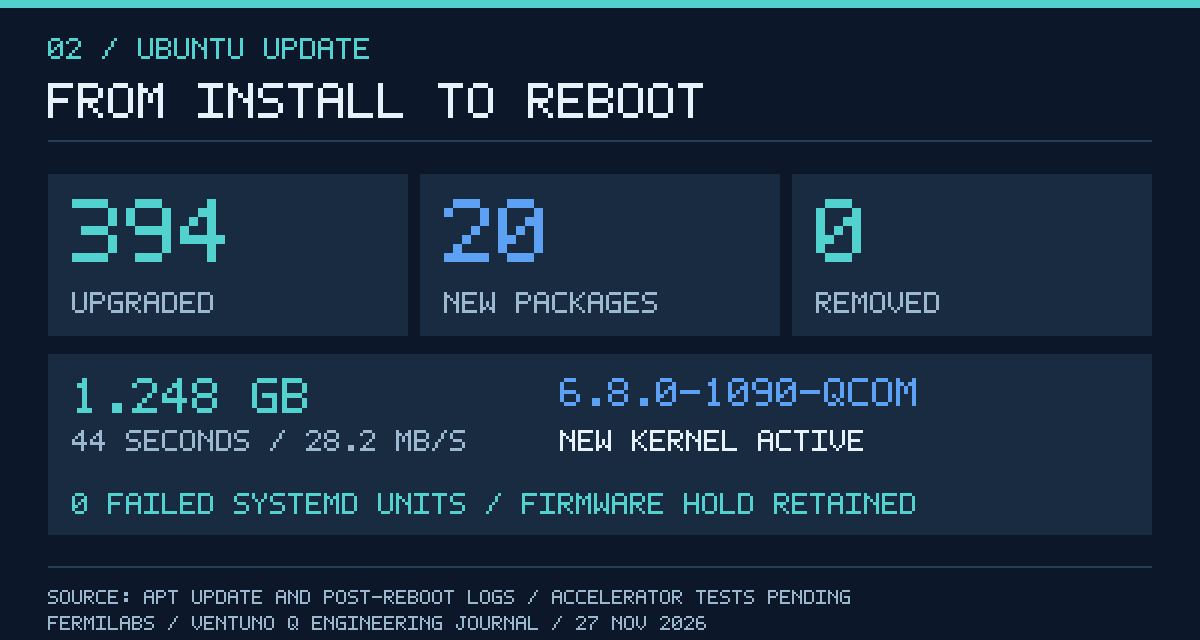
The Dragonwing firmware package remains explicitly held at version 20260612, with 20261023 available. I will keep the hold until its compatibility is understood. The Arduino App CLI, Arduino Router, Docker and Qualcomm DSP daemons are running, and Linux exposes GPU and FastRPC device nodes. I subsequently confirmed that the updated App Lab works after reboot. Dedicated Bridge, GPU and NPU tests are the next step; a working App Lab session does not establish accelerator performance.
Reproduce the post-update checks
For readers setting up their own VENTUNO Q, these non-installing checks help establish the starting point after reboot: useuname -rto identify the active kernel,sudo dpkg --auditandsudo apt-get checkto inspect package integrity,systemctl --failedto list failed services, andlscpu,free -handdf -h /for the hardware and memory baseline. To inspect the wired link on this configuration, usecat /sys/class/net/end0/speedandcat /sys/class/net/end0/duplex; substitute the actual Ethernet interface if it differs. A clean result does not prove all peripherals work. Follow Arduino’sLinux configuration guidebefore making system changes.
VENTUNO Q Ethernet speed test: 2.5 GbE vs my Mac mini M4
First, I measured local TCP throughput with iPerf3 using four parallel streams for 15 seconds per direction. The Mac-to-VENTUNO Q test reached 940 Mb/s at the receiver, and the reverse test reached 941 Mb/s. The Mac’s Gigabit Ethernet interface limits this point-to-point benchmark.
Next, I used Ookla Speedtest CLI against the same Vodafone Italy server in Rome, ID 11842, on both devices. The Arduino VENTUNO Q achieved an impressive 2,126.11 Mb/s download, while the Mac mini M4 reached 983.43 Mb/s. This is 2.16 times the Mac’s measured download rate, or approximately 116.2% higher. Both devices achieved roughly 880 Mb/s upload and reported no packet loss.
| Internet test | VENTUNO Q | Mac mini M4 |
|---|---|---|
| Download (Mb/s) | 2,126.11 | 983.43 |
| Upload (Mb/s) | 879.22 | 882.69 |
| Idle latency (ms) | 27.81 | 25.95 |
| Packet loss | 0.0% | 0.0% |
The VENTUNO Q has a native 2.5 GbE interface, and my fibre service is rated at 2.5 Gb/s. The 2.126 Gb/s figure is the actual end-to-end Internet download measured by Ookla, not the Ethernet link speed. This end-to-end test cannot isolate the limiting component of the Internet path. Reaching about 85% of my fibre service’s nominal rate on a first test is an excellent result, without an external Ethernet adapter. That matters when downloading large datasets, AI models, container images and development packages. Upload speeds were similar, at around 880 Mb/s. These are one-run-per-device measurements, not statistical medians or a CPU benchmark. The exact negotiated Ethernet rate after swapping cables has not yet been recorded in my diagnostics; the measured Internet download already establishes that the active path exceeds 1 Gb/s. Maximum local 2.5 GbE throughput will be tested separately.
Quiet active cooling: first impressions from the lab
Another pleasant surprise is the cooling system. The fan comes on from time to time, but in my lab I cannot hear it at all during these initial sessions. I actually have to look at the fan to tell whether it is running! This is my subjective observation in the existing lab environment, not a measured sound-pressure level or a sustained-load thermal test. I will measure temperatures, fan behaviour and performance under longer workloads in a future article.
Two processors, two complementary roles
The architecture is what interests me most: the Linux MPU handles computationally demanding workloads, while the MCU can execute time-critical tasks independently. This separation makes it possible to investigate the interaction between AI inference, sensor acquisition and deterministic control without moving every task into a single Linux process.
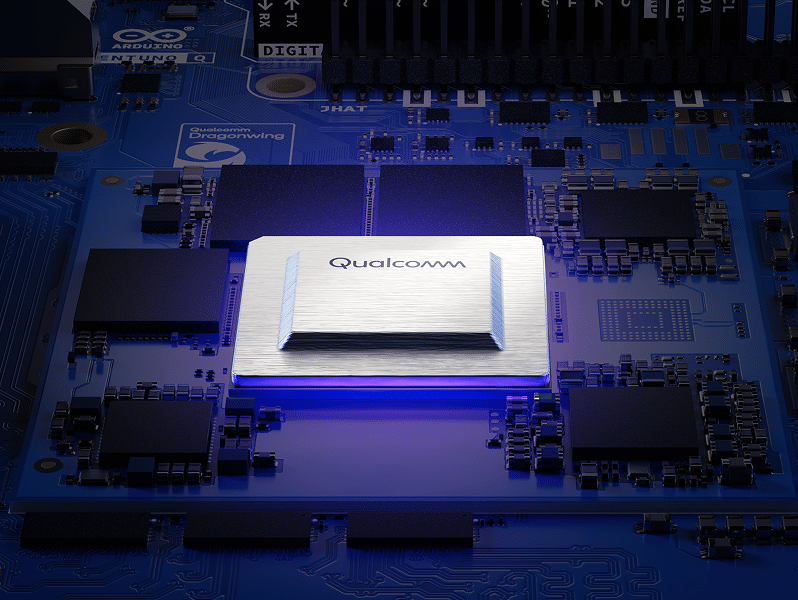
- Linux MPU:Qualcomm Dragonwing IQ8 (QCS8275), eight-core Kryo CPU, Adreno 623 GPU and Hexagon NPU rated at up to 40 dense TOPS.
- Real-time MCU:STM32H5F5, Arm Cortex-M33 at 250 MHz, 4 MB flash and 1.5 MB RAM; Arduino core on Zephyr RTOS.
- Memory and storage:16 GB LPDDR5, 64 GB eMMC, M.2 PCIe Gen 4 NVMe expansion.
- Networking:2.5 GbE, Wi-Fi 6 and Bluetooth (5.3 listed in Arduino’s product specifications; wireless functionality not yet verified in my tests).
- Interfaces:multiple MIPI CSI camera connections, HDMI, USB-C and USB 3.0, one CAN-FD screw-terminal interface with an onboard PHY, plus header-level CAN-FD signals without a PHY, GPIO and PWM.
- Development:Arduino App Lab integrates Python on Linux with microcontroller sketches; Arduino also provides ROS 2-compatible workflows.
These areArduino’s published hardware specifications, not results from our own performance tests. See theboard user manualfor interface details, including the CAN transceiver and header-level signals. The advertised NPU capacity is particularly interesting for on-device vision and language models, but real application performance will depend on the model, precision, runtime and data pipeline.
Arduino VENTUNO Q CPU and memory: our actual Linux baseline
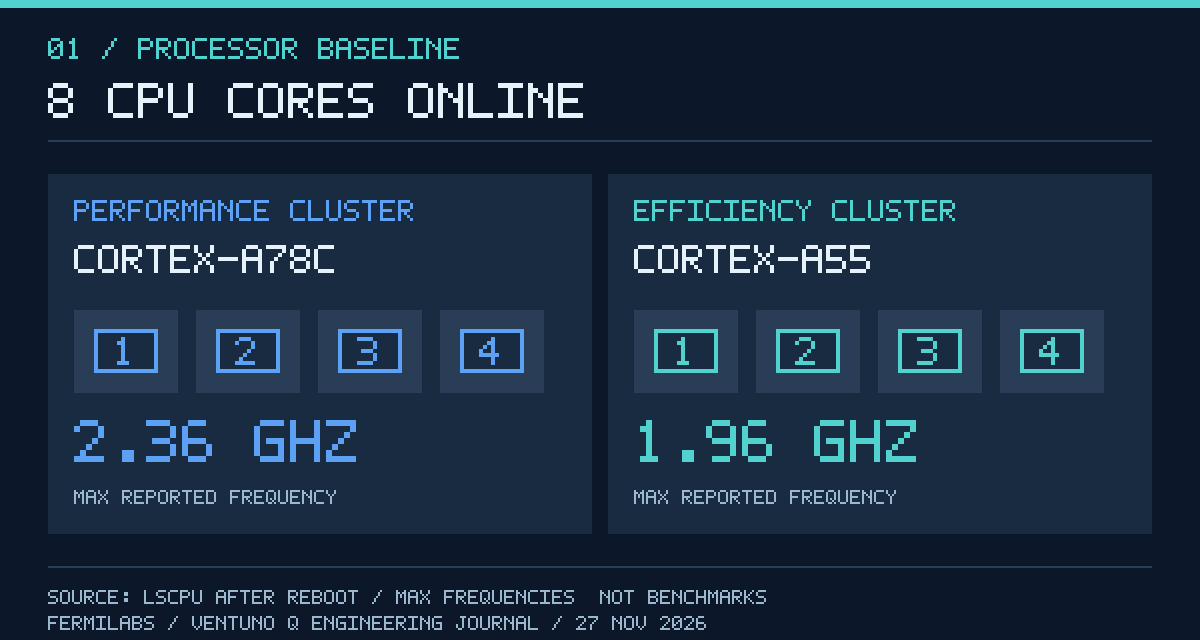
All eight CPU cores are online in the post-reboot Linux report: four Cortex-A78C performance cores with a maximum reported frequency of approximately 2.36 GHz, and four Cortex-A55 efficiency cores at approximately 1.96 GHz. These are reported frequency limits, not measured sustained clocks or benchmark scores. Linux sees about 14 GiB of RAM in total, with 13 GiB available and about 966 MiB in use at the time of the snapshot. The root filesystem has about 35 GiB available out of 55 GiB.
Porting openDAQ, telemetry and EFBus
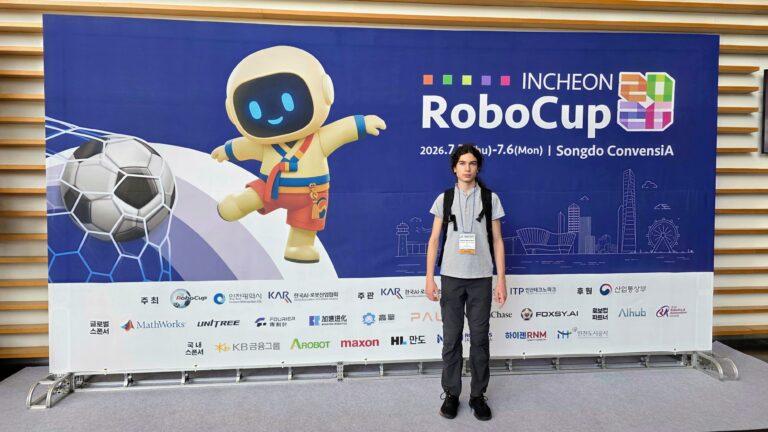
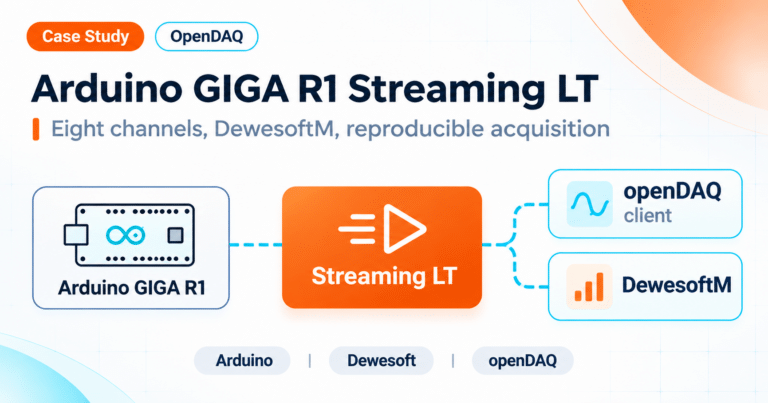
My first priority is porting my existing Arduino projects, particularly the telemetry and data acquisition software based onopenDAQtechnology. That work builds on the software architecture used in my autonomous robot at the RoboCup World Championship in South Korea.Dewesoft’s support for my experimental measurement projects has been especially valuable, and I look forward to exploring new ways to combine instrumentation with local intelligence.
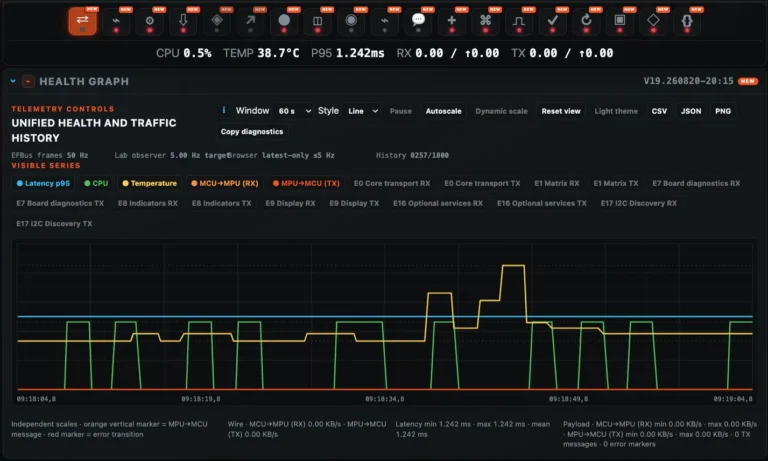
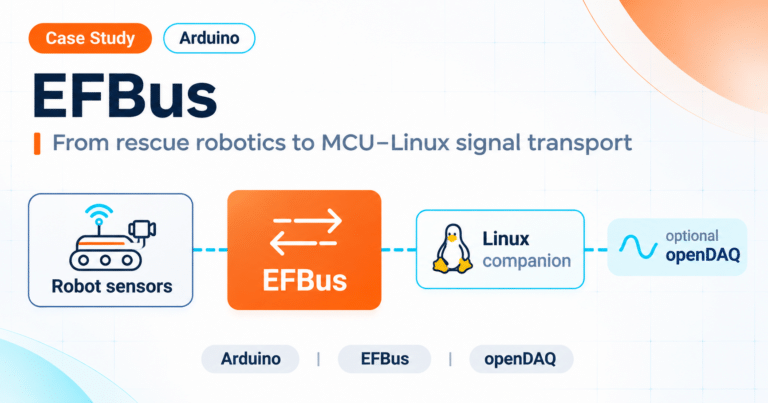
My first informal experience suggests that the Arduino Bridge on VENTUNO Q may be substantially faster than on UNO Q. The operation and measurement conditions have not yet been recorded in a controlled test, so I am reserving a numerical comparison for the dedicated benchmark article. I also want to investigate the portability of our ownEFBusMPU–MCU communication protocol, which we have operated with a 50 MHz bus clock on UNO Q. A bus clock is not the same metric as RPC throughput: the next experiments will compare payload sizes, transaction latency, sustained data rate and timing variability under equivalent conditions.
What comes next
- Port and validate the existingopenDAQ-based acquisition and telemetry stack.
- Characterize the standard Arduino Bridge and EFBus under reproducible workloads.
- Measure Ethernet throughput and real-time acquisition behaviour while Linux is under load.
- Explore local AI inference, computer vision, autonomous navigation and scientific instrumentation.
- Document what works, what needs improvement and the results of repeatable benchmarks in this VENTUNO Q series.
The long-term goal is to bring measurement, perception, decision-making and physical actuation together on the same platform, while keeping the real-time acquisition and control paths independently measurable. I’m looking forward to getting straight to work and sharing the results with the community!
Black Friday note — November 2026
If you are interested in starting with the smallerArduino UNO Q, as of 27 November 2026, Arduino’s official store advertised savings of up to 45% on selected UNO Q bundles during its Black Friday promotion, ending 30 November 2026. The offer does not apply to business accounts. See theofficial UNO Q bundle offersfor the current conditions.
Resources and previous work
- Arduino VENTUNO Q — official product page
- VENTUNO Q documentation
- FermiLabs Arduino EFBus
- FermiLabs RoboCup Rescue Maze robot
- FermiLabs at Maker Faire Rome 2026
- Follow the VENTUNO Q engineering journal
Official product images: Arduino. Original data infographics and first-hand setup notes: Etto Fins / FermiLabs, based on APT and post-reboot diagnostics. This is the beginning of an ongoing experimental series.